
Shopify + QuickBooks Desktop or Sage 50 U.S.
Shopify to QuickBooks Desktop and Sage 50 U.S. integration
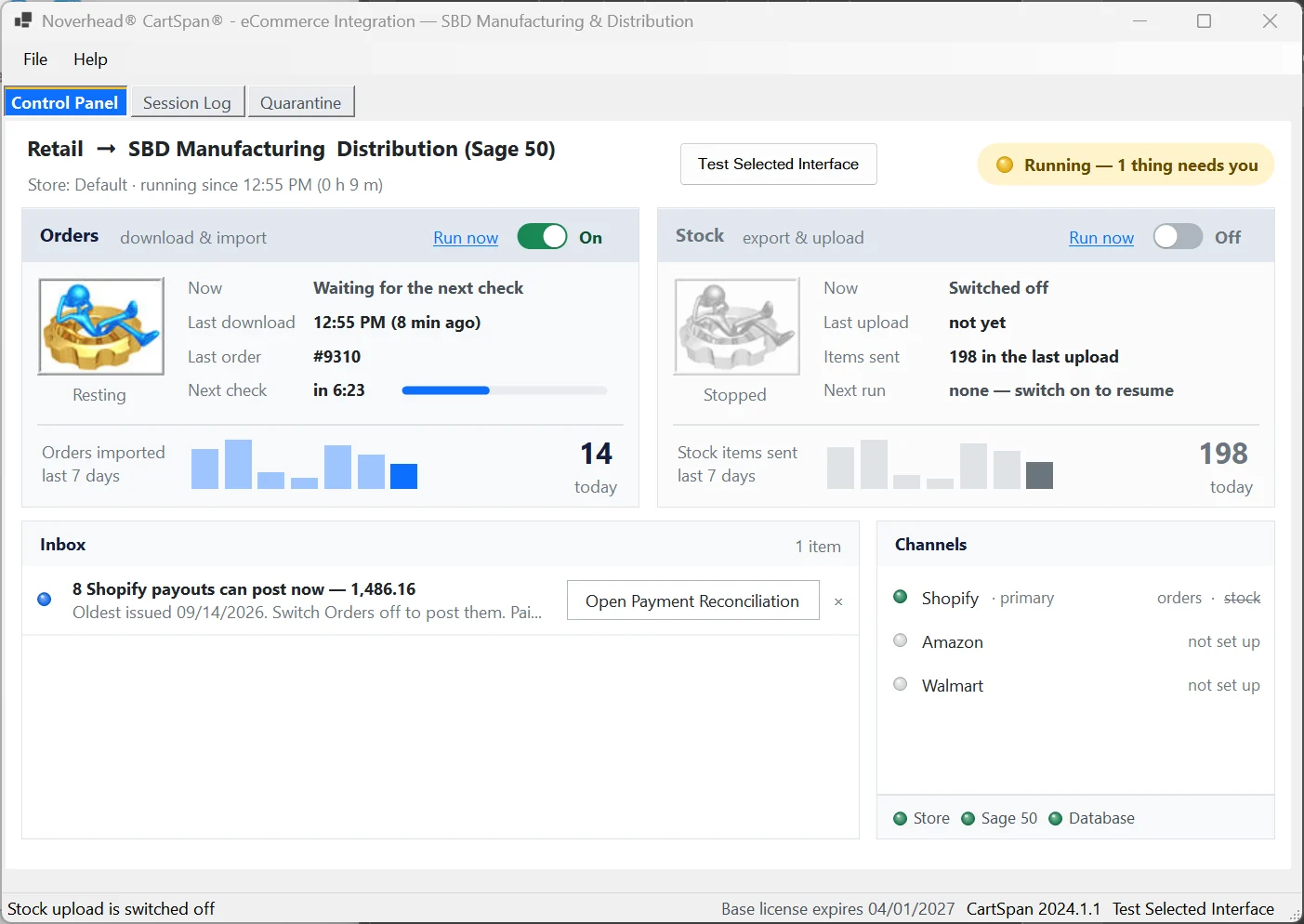
CartSpan® posts your Shopify orders, web and POS, into QuickBooks Desktop or Sage 50 U.S. on its own. It checks your books for stock changes every minute and starts sending any it finds to Shopify. When an order’s lines don’t add up to what the customer paid, it holds that order and tells you.
- Shopify and Shopify POS
- QuickBooks Desktop 2023 or newer
- Sage 50 U.S. 2024 or newer
- Orders as often as every 15 min
- Payouts reconciled on Sage 50
- $495, then $299 a year from year two
- Any number of orders
- Stock updates included
What happens to a Shopify order
From the checkout to your books.
Invoice when it ships, or when it’s paid?
In Shopify
Order #1001 is paid on Monday and shipped on Wednesday.
→
In your books
- Your choice: import when it ships, dated the ship date, or as soon as it’s paid
- Cancelled, voided and fully refunded orders are skipped
- An order edited before import comes in at Shopify’s current total
Sold at the counter on Shopify POS?
In Shopify POS
Your Main Street shop and your warehouse counter both ring up sales on Shopify POS.
→
In your books
- POS sales post like web orders, labeled by location
- Cash from each location can go to its own account
- Your books stay the stock master; the store follows them
Examples. Location names, tags and accounts come from your own setup.
Shopify Payments payouts · Sage 50
Shopify Payments payouts on Sage 50.
On Sage 50, CartSpan posts each Shopify Payments payout under one deposit ticket, the payout number, so Account Reconciliation shows one line equal to the bank line, with Shopify’s actual fees, refunds as credit memos, and every kind of payout line handled or flagged.

What CartSpan reads from Shopify
Your rules decide what comes in.
Which orders come in
Filter by order status, payment method or tag, and leave out POS sales if you post them another way.
Your rulesDiscounts, duties and tax
The order’s discount, duties as a handling charge, and Shopify’s tax split across your tax agencies by rate.
Core ShopifyPayment method
Each payment method can deposit to its own account, from Shopify’s gateway names.
Core ShopifyOrders from other channels
Walmart.com and Faire orders sold through Shopify come in named by their channel.
Core ShopifyTags do the sorting
Tags you set in Shopify can choose the store ID or the customer group in your books.
Your rulesSkipped orders, explained
Every check logs why an order was skipped, so “where’s order 1042?” has an answer.
CartSpanComing from QuickBooks Point of Sale?
Intuit discontinued QuickBooks Desktop Point of Sale on October 3, 2023, and names Shopify as one path forward (Intuit, checked October 13, 2026). CartSpan posts your Shopify POS sales into the QuickBooks Desktop you already keep. 513-708-1317
Stock to Shopify
Your books decide what Shopify shows.
- Checks your books for stock changes every minute and starts sending only the items that changed. Kits counted from their parts, and a few other stock options, update on your scheduled refresh instead. How stock updates work →
- Quantity available, not on hand: stock minus open sales orders.
- Several Shopify variants or listings can point at one item in your books.
- Prices stay in Shopify. Shopify’s pricing tools are built for this, so CartSpan leaves them alone.
How it connects
Shopify releases a new API every quarter. CartSpan watches for you.
- Connects through Shopify’s own API. Shopify releases a new API version every three months and supports each for at least a year (Shopify developer docs, checked October 14, 2026).
- We connect CartSpan to your Shopify admin with you during setup.
- Every day CartSpan checks which Shopify API versions are still supported, and offers a one-click update before a retirement could stop your imports.
- Order data goes straight from Shopify to the PC running your books. Nothing passes through our servers.
- We set it up with you during the trial, remotely.
One price
No tiers. No per-order fees. No meter running.
Shopify connectors for desktop books mostly charge by the month and by order volume. CartSpan is one price, whatever your volume.
List prices checked October 13, 2026: MyWorks, Webgility, Sagify and Connex. Their prices rise with order volume; CartSpan’s doesn’t. Full named comparison on the pricing page. If you’re moving to QuickBooks Online, or sell a few orders a month on Shopify, a subscription connector may suit you better.
Limits, plainly
What to know first.
- Stock goes to one Shopify location per setup.
- Prices aren’t sent to Shopify.
- Payout reconciliation is for Shopify Payments on Sage 50. QuickBooks Desktop and other gateways aren’t covered.
- Discount codes come across with the order. Tips and shipping tax aren’t itemized on the invoice.
- QuickBooks Pro and Premier need a read-only QODBC license, $149 per user a year (FLEXquarters, checked October 13, 2026); Enterprise includes it.
- CartSpan runs on a Windows PC beside your books, and that PC needs to be on. After a restart, open CartSpan again and it picks up where it left off.
Pick your books
Shopify with QuickBooks Desktop or Sage 50.
Shopify + QuickBooks DesktopShopify + Sage 50 U.S.PricingGetting startedQuickBooks Desktop integrationSage 50 integration
Does it work with Shopify POS?
Yes. POS sales post like web orders, labeled by location, and each location’s cash can go to its own account. Your books stay the stock master.
Will my Shopify Payments payouts match the bank?
On Sage 50, yes: one deposit per payout, equal to the bank line, with Shopify’s actual fees booked and refunds as credit memos. On QuickBooks Desktop, payouts aren’t reconciled.
Why doesn’t CartSpan send prices to Shopify?
Shopify’s pricing tools, from sales to price lists, are built for this, and prices change far less often than stock. CartSpan keeps your stock right and leaves pricing in Shopify.
What happens when Shopify retires an API version?
CartSpan checks every day which versions Shopify still supports and offers a one-click update before the one you use retires, with a way back if you need it.
Does it import when the order is paid or when it ships?
Your choice. Import on shipment, dated the ship date, or as soon as the order is paid.
Tell us about your Shopify store and your books.
A short call settles whether CartSpan fits, including POS, payouts and how you ship.